PRODUCT
Logic.
Visual programming applied to any value or parameter.
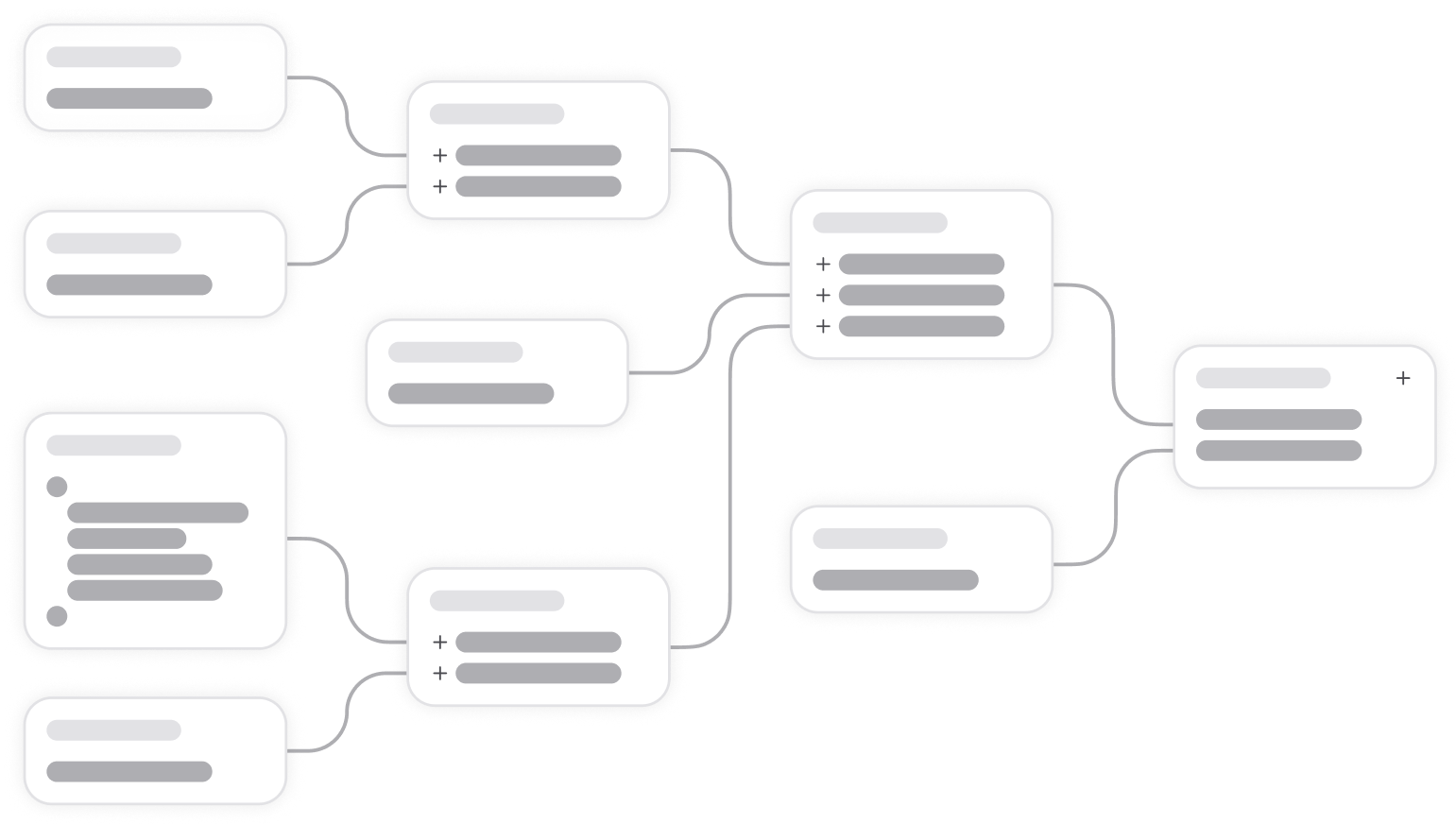
Logics are one of the core concepts in the EMS. It's all about retrieving, combining, and transforming data based on different nodes that evaluate as an abstract syntax tree.
Anything from simple things like getting a single value from a JSON object, formatting a date or concatenating a few values – all the way to involved math calculations or filtering functions.
Once you start working in the EMS you'll likely use Logics a lot. Both for making visual properties on a Layout dynamic as well as handling Workflow parameters. Logics are everywhere.
hover / tap
false
hover color
#fff6e2
Text
If
condition
then
else
Output
#ffe9bb
Logics can live directly on a property or value – but as soon as you create something you want to use in more than one place you want to move them to live either on the Layout, or for even more reusable Logics, on a Graph node. The latter is also a great way for engineers to create pure Logics that then a team member working on a Layout can use.
Logics can also define parameters, making them reusable like utility functions that adapt to different inputs.
Logic node types
Each node type has a specific purpose, from simple constants to dynamic inputs, environment data, or advanced processors. Combined, they form powerful trees that can transform values, control behavior, and connect data across devices.
Fixed values for starting points.
Text
Number
True / False
Null
Object
Color
Information about the device or system environment.
Device brand
Device name
Device type
Device model
Device theme
Device language
Is landscape
Prefers reduced motion
OS name
OS version
OS version major
OS version minor
OS version patch
Platform
Screen width
Screen height
Device pixel ratio
Font scale
Safe area top
Safe area bottom
Safe area left
Safe area right
Time
Time zone
Browser name
Browser version
Browser version major
Browser version minor
Browser version patch
URL
User agent
Referrer
Nodes for animating values or colors.
Motion Config
Motion Interpolate Color
Motion Interpolate Value
Motion Sequence
Standard mathematical functions and constants.
Floor
Ceil
Round
Min
Max
Add
Multiply
Divide
Subtract
Modulo
Cos
Sin
Log
Log10
Tan
Abs
Sqrt
Pow
Atan2
Random
Pi
Transform, format, and manipulate values and data structures.
Base64 Decode
Base64 Encode
Coalesce
Concatenate
Cookie Get
Cookie Serialize
Date To Timestamp
Filter
Find
Find And Replace
First
Flat
Get
Hash
Includes
Index Of
Join
JSON Stringify
XML Stringify
Last
Length
Map
Merge
Now
Object Keys To Array
Parse Date
Parse JSON
Parse User Agent
Parse XML
Parse Number
Parse String
Pick
Search Params
Set
Slice
Sort
Split
Switch
Substring
Uuid
Unique Array
URI Decode
URI Decode Component
URI Encode
URI Encode Component
Change the format or style of values.
Uppercase
Lowercase
Format Date
To time zone
Format
Conditional and logical operators.
And
Equals
Exists
Greater Than
Match
Less Than
If
Not
Or
Value Between
Nodes for creating arrays and key-value entries.
Array
Entries
Store and reuse values across layouts. Variables can hold anything from user data to system states, and can be scoped locally, per device, per user devices, or globally. This makes them powerful tools for sharing state across devices and creating synchronized multi-screen experiences.
Dynamic values passed into a Layout, Workflow, or Logic. They make Logics reusable, since they allow the same definition to behave differently depending on the data provided. Designers and developers can define which properties can be controlled from outside, enabling flexibility without duplication.
Reusable Logic trees that can be referenced inside other Logics. This allows you to create utility functions once, and apply them across multiple contexts. Logics can accept parameters, making them adaptable building blocks for more complex functionality.
References to encrypted secrets (API keys, tokens, credentials) stored via the secret:<uuid> resolver and resolved server-side at runtime. Lets Logic use sensitive values without ever exposing plaintext.
Reads schema-context data exposed by a Context fragment ancestor — the scoped data available at the Logic's position in the layout/resource tree.
Why Logic, not code?
Sometimes people ask why engineers can't just write code in the EMS directly? There are two reasons.
1. Approachability
Logics should be usable by non-developers. Designers and Editors can make Layouts dynamic without writing code.
2. Cross-platform execution
Logic trees compile into native code for every platform, so you define once and run everywhere.